Giza software overview
With our product, users can create connections from scratch or import connection information directly from Tekla Structures.
General Features of the GIZA Software
With our product, users can create connections from scratch or import connection information directly from Tekla Structures. The Giza software can be used by itself without the use of Tekla Structures with a Lite license. Once a connection is in the GIZA software, it can be easily designed. Every part of the connection is clearly labeled with all values shown. All calculated limit states are clearly shown and recommended design changes will be displayed. The GIZA software will recalculate all limit states after every design change. Connections can be saved to a file or imported directly back to the original Tekla model. When imported into Tekla, the connection will be remodeled in real time. Calculation reports can be generated for any connection. These detailed reports can be signed and sealed by any professional engineer.
Key Features
- Compatible with Tekla Structures 18 to 2024
- Compatible with Tekla Structural Designer 2019i and 2020
- Fully automated calculations for connection design
- Supports shear, moment, vertical and horizontal bracing connections
- Use either ASD or LRFD design methods
- Supports AISC 14th and 15th editions
- Includes the NYC building code
- Retrieve and design multiple connections at one time.
- Labeled 2D sketches of each connection
- Add connection capacities to shop drawings
- Color code your Tekla model based on connection status
- Create and save job defaults for future connections
- Lite, Standard, and Network licenses available to suit your needs
- Giza Lite version fully functions without Tekla Structures
- Save connection files for use on other computers running GIZA software
Giza components only available with Tekla v20.0 and up.
With the GIZA software, you get several additional services when you have a subscription. Once the Giza software is installed, several Giza components for Tekla are also installed. *These are free to use if a GIZA software subscription is active on that computer. These Giza plugins enhance the library of components that Tekla already has. Users also get access to our helpdesk where you can submit support tickets anytime. Our team is dedicated to making your connection design experience as smooth as possible and solving your issues in a timely manner. Any user with a subscription will receive updates to the GIZA software if their subscription is active.
*Giza components only available with Tekla v20.0 and up.
General Features of the GIZA Miscellaneous
GIZA Miscellaneous is an advanced software solution that simplifies the creation and analysis of secondary structural elements. The software ensures precision and clarity throughout the design process through its real-time, dynamic sketches that adapt to user input. With 2D and 3D dynamic sketching capabilities, users can visualize their designs from multiple perspectives, enhancing understanding and accuracy. Whether the task involves designing wall rails, railing systems, or stairs, GIZA Miscellaneous automates complex calculations and generates detailed, standards-compliant reports.
Key Features
- Compatible with Tekla Structures 18 to 2024
- Compatible with Tekla Structural Designer 2019i and 2020
- Fully automated calculations for connection design
- Supports shear, moment, vertical and horizontal bracing connections
- Use either ASD or LRFD design methods
- Supports AISC 14th and 15th editions
- Includes the NYC building code
- Retrieve and design multiple connections at one time.
- Labeled 2D sketches of each connection
- Add connection capacities to shop drawings
- Color code your Tekla model based on connection status
- Create and save job defaults for future connections
- Lite, Standard, and Network licenses available to suit your needs
- Giza Lite version fully functions without Tekla Structures
- Save connection files for use on other computers running GIZA software
Software Screenshots
(Click any image to enlarge)
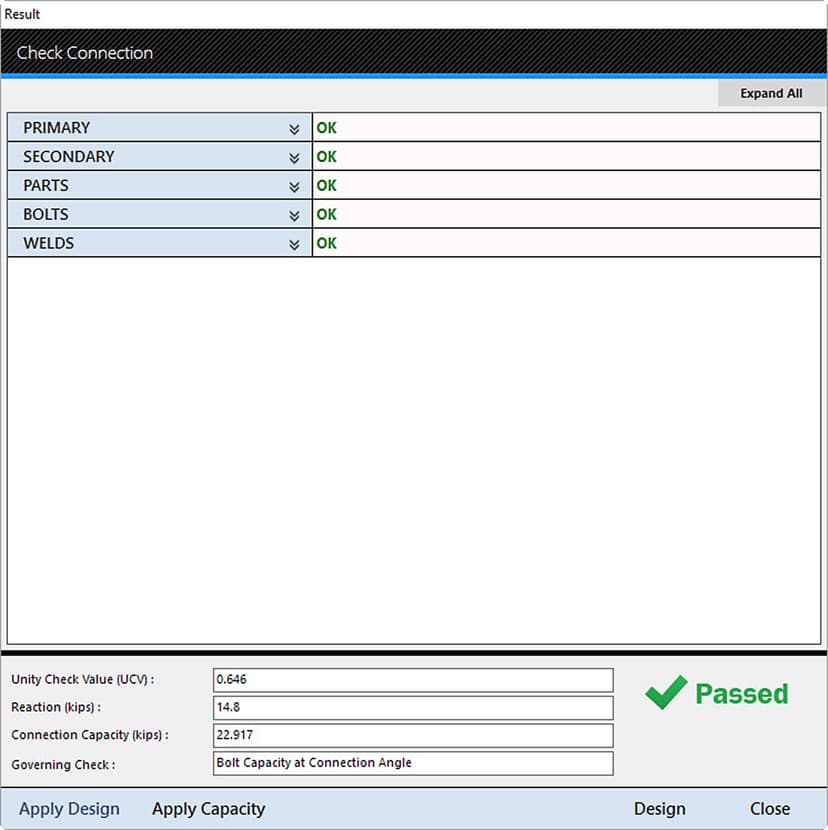
Check Form without limit state
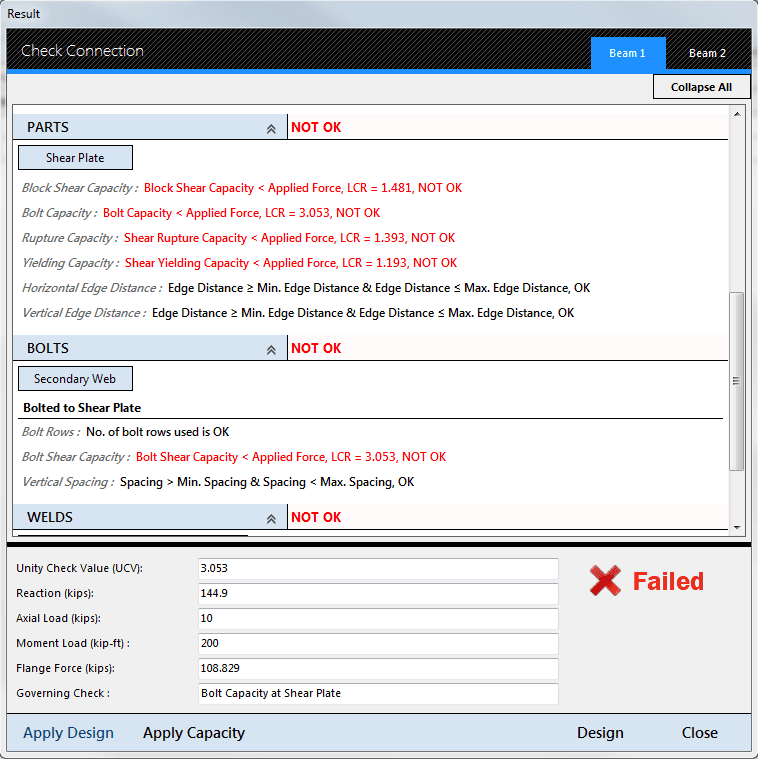
Check Form with limit state
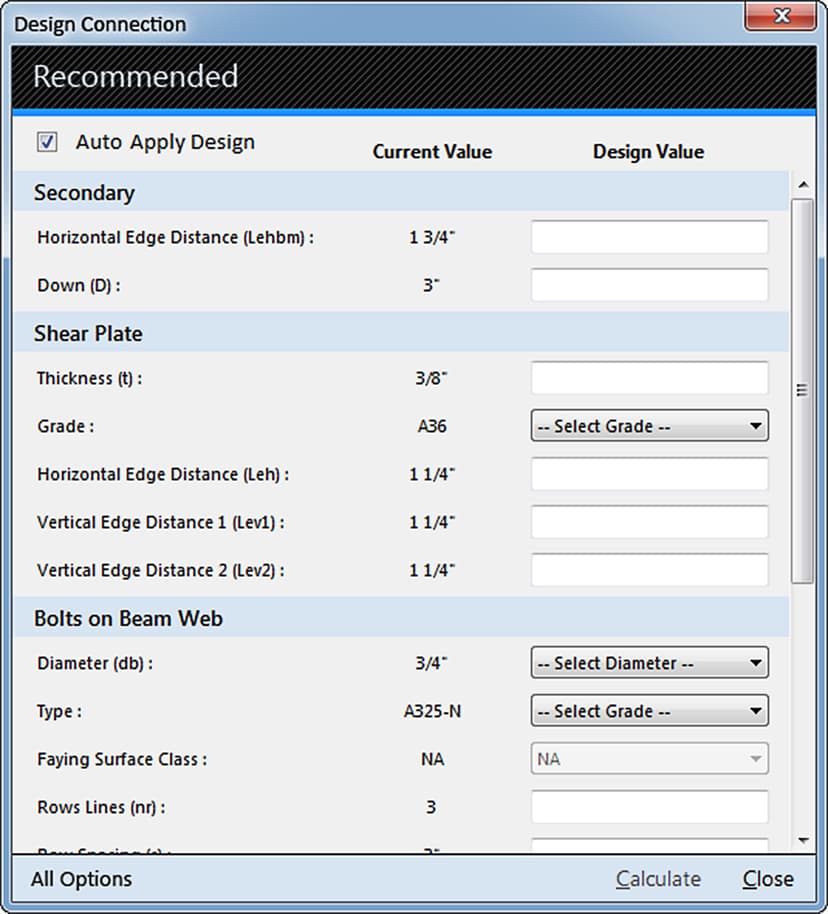
Design Form Recommendation
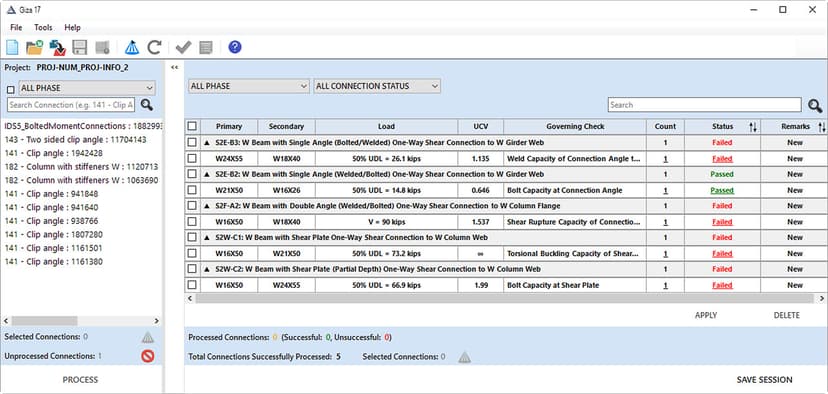
GIZA Connection Manager
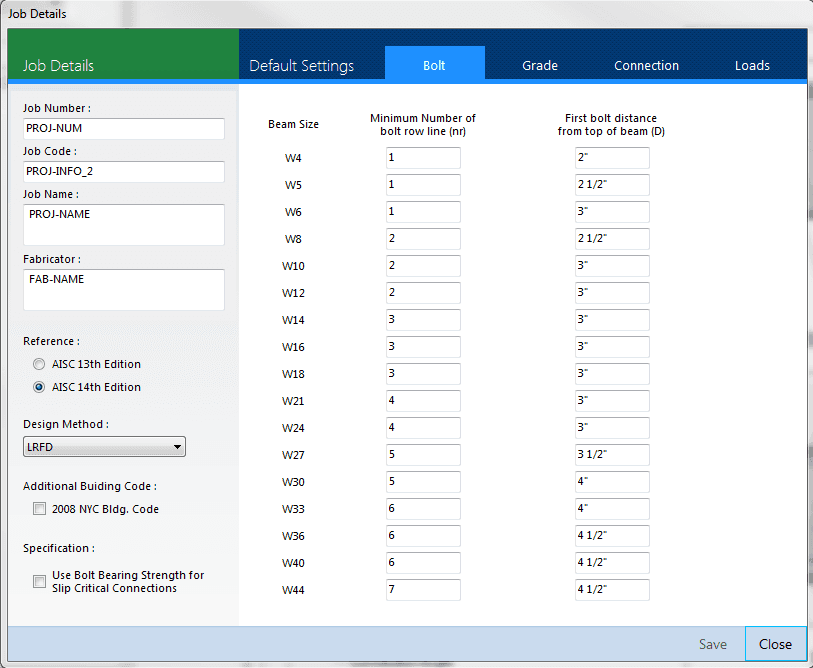
Job Defaults
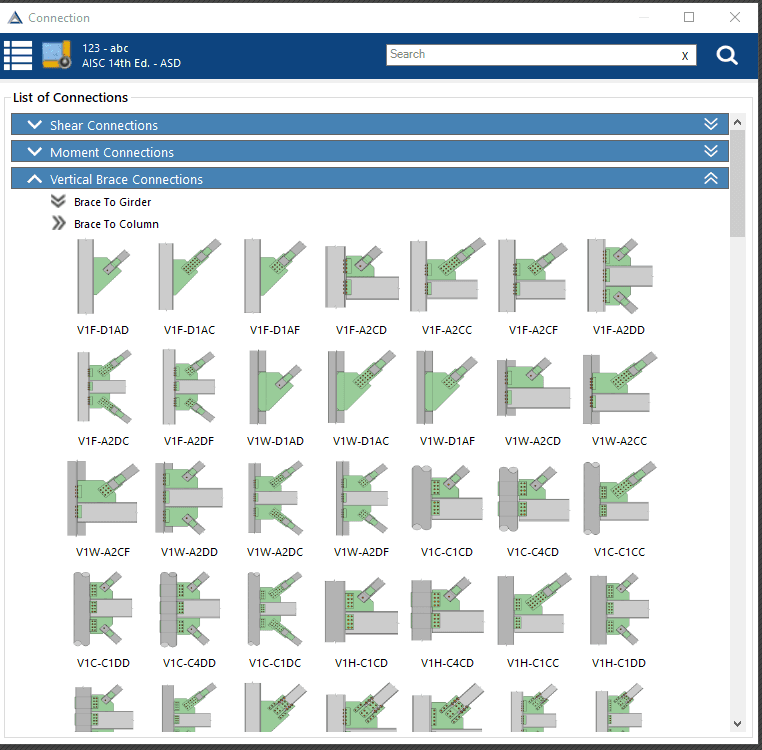
New Connections
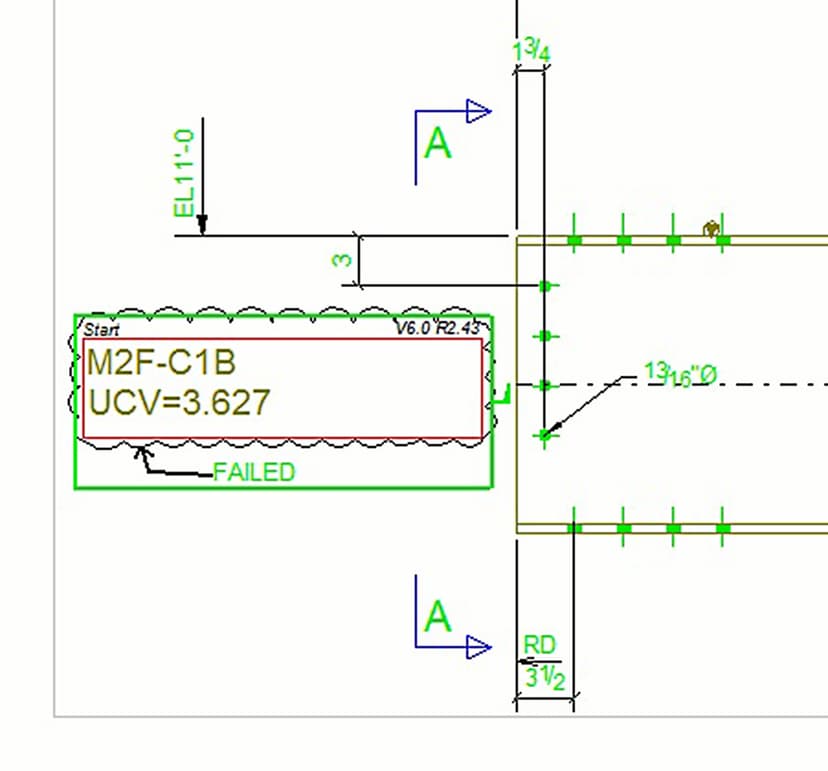
Shop Drawing Template
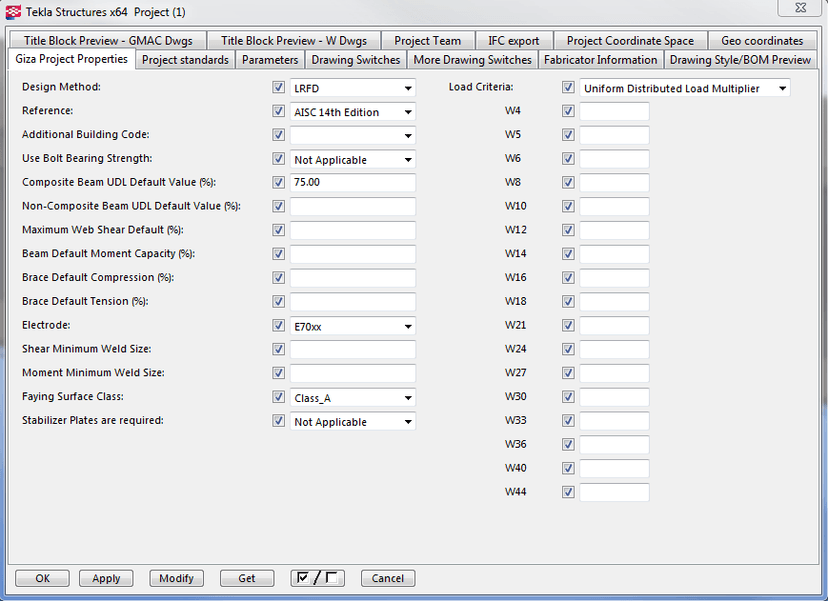
Project Properties
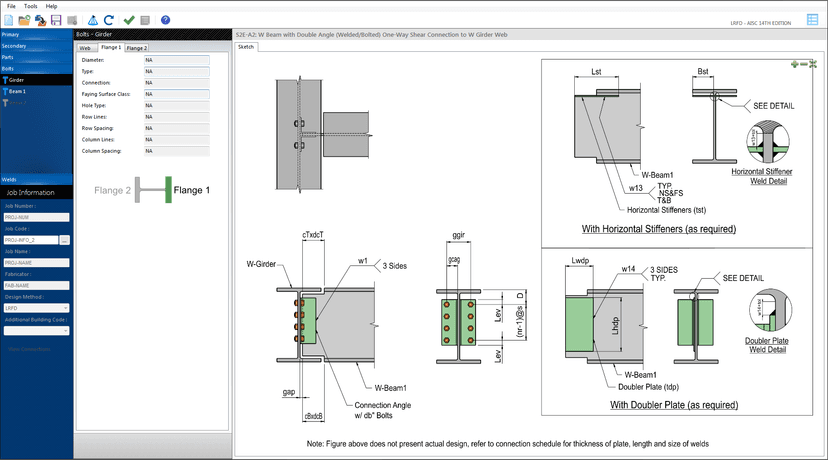
Single View
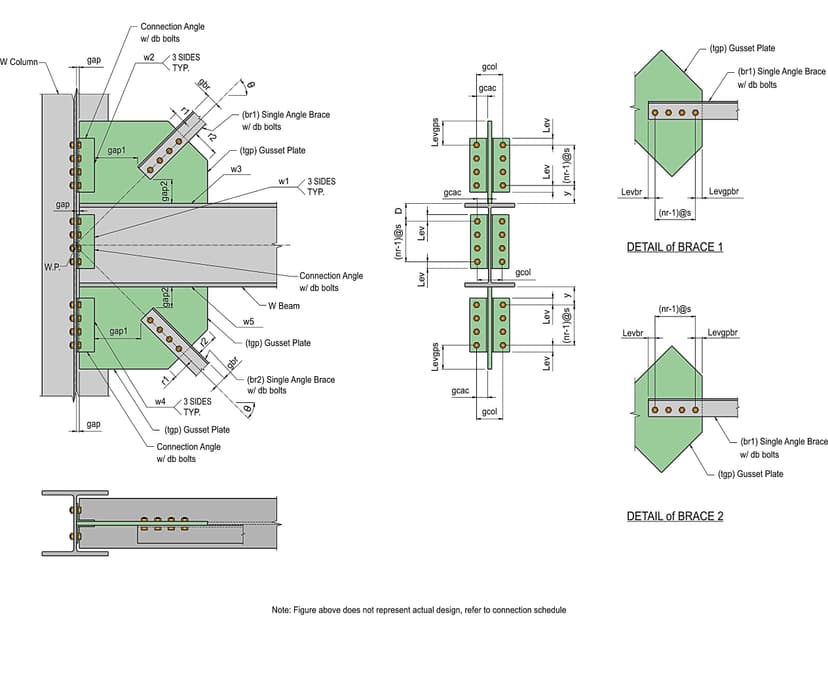
Vertical Brace Connection